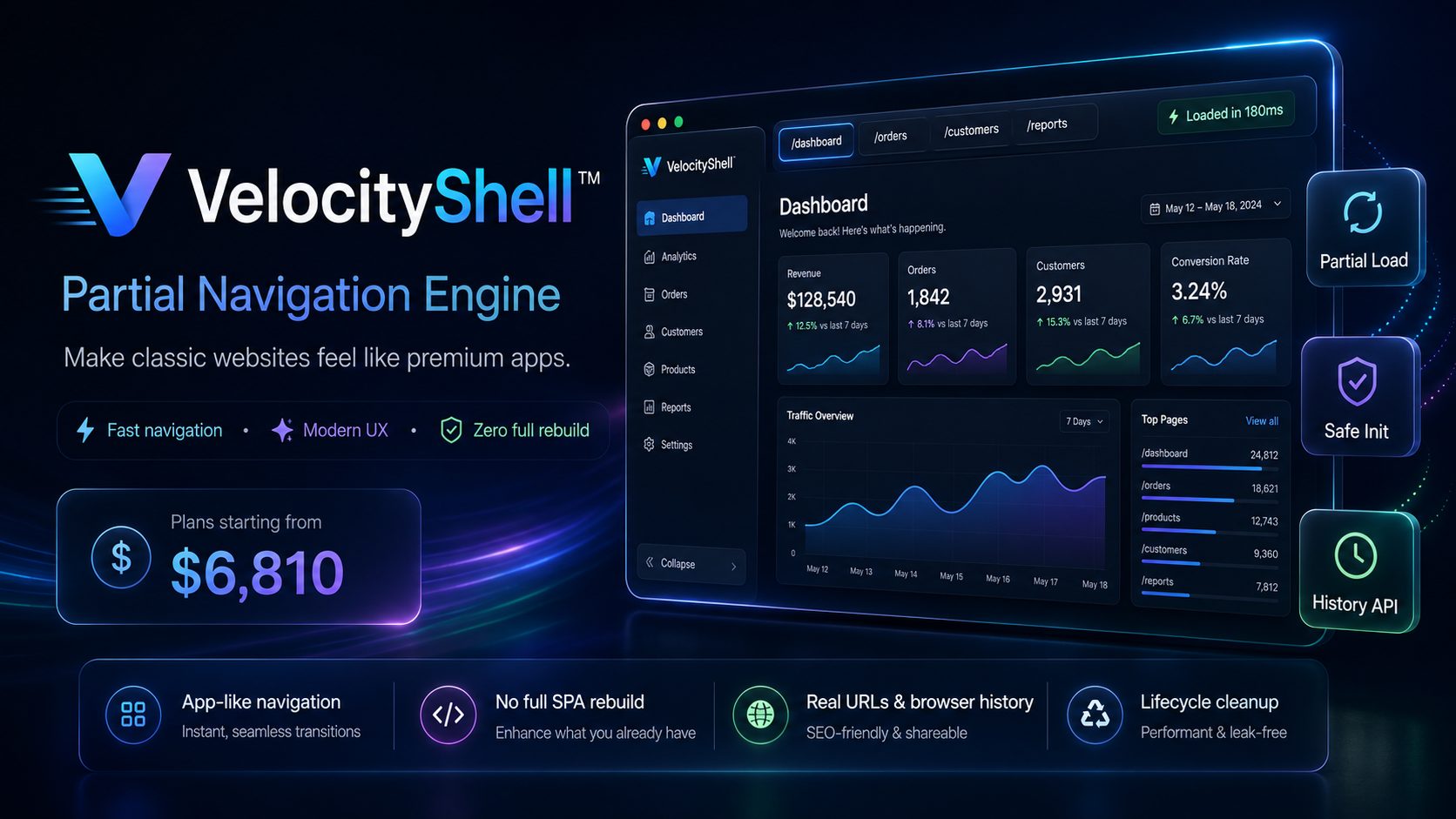
Meet FlashRoute Navigator™
Upgrade traditional websites into fast, app-like experiences by loading only the page content that changes. Keep your existing backend, keep your SEO structure, keep your server-rendered pages — and make navigation feel instant.
Only load what changed.
FlashRoute replaces the content area, preserves the master layout, updates browser history, and re-initializes each page safely.
Fast navigation without forcing a full frontend rewrite.
FlashRoute Navigator is designed for teams who want SPA-level smoothness while keeping their existing server-rendered platform.
Instant-feeling navigation
Users move between pages without the heavy full-page refresh effect. Menus, layout, header, scripts, and shared assets stay alive while the content area changes.
Smart page initialization
Each page gets a dedicated initializer, so Ajax lists, tabs, accordions, filters, chat modules, profile pages, and dashboards can safely rebuild after partial loading.
Real browser history
Back, forward, and direct links continue to work. FlashRoute updates the URL and history state, keeping the experience natural for users and developers.
Works with existing pages
No need to rebuild your system as React, Vue, Angular, or a full SPA. FlashRoute can work with server-rendered platforms, dashboards, portals, LMS, CRM, ERP, and admin panels.
Controlled page allowlist
Only selected pages are enabled for partial loading. Sensitive flows like login, logout, checkout, payment, or language switching can still force full reloads when needed.
Lifecycle cleanup
Before content is replaced, pages can stop timers, observers, media playback, chat polling, SignalR listeners, audio recording, and custom runtime logic.
Mobile-app feel
Perfect for platforms opened inside mobile WebViews. The interface feels smoother, less jumpy, and more native because the shell remains stable.
Supports dynamic modules
Designed to handle complex modules like chat, lesson details, teacher profiles, call logs, booking lists, dashboards, media previews, and infinite scroll pages.
Lower server pressure
Because repeated master layout rendering is reduced, your platform can avoid unnecessary repeated markup, assets, and UI setup on every click.
Better perceived performance
Even when data still loads by Ajax, the transition feels faster because the page shell does not disappear. This improves user confidence and reduces bounce behavior.
Developer-friendly architecture
Simple conventions: page allowlist, partial response header, content replacement container, page initializer, page cleanup, cache control, and optional state restoration.
Upgrade path to SPA later
FlashRoute gives immediate speed improvements now while keeping the door open for a future full frontend modernization if your product ever needs it.
A clean partial-loading lifecycle.
Intercept
FlashRoute intercepts allowed internal links and navigation calls before the browser performs a full reload.
Request
The target page is fetched with a partial-load header so the server returns only the main content area.
Replace
The content container is replaced, browser history is updated, and the user stays inside the same stable page shell.
Initialize
The page-specific initializer reconnects DOM references, reloads Ajax data, rebinds events, and restores the required UI behavior.
Not just a page transition effect.
FlashRoute is an integration pattern for serious platforms where pages contain real logic, permissions, Ajax calls, forms, media, timers, filters, and third-party UI components.
- Partial response support from the backend.
- Configurable page allowlist.
- Safe script execution strategy.
- Page-level initializer and destroy functions.
- History API support for back and forward buttons.
- Optional cache invalidation per page.
- Compatibility strategy for server-rendered translations.
- Full reload rules for login, logout, checkout, and language changes.
- Support for infinite scroll, accordions, tabs, chat, and media controls.
Full refresh vs. FlashRoute navigation.
Three plans for different levels of platform complexity.
Pricing starts from $6,810 USD. Each plan focuses on real implementation, not just a visual animation.
Launch
For small platforms or proof-of-speed projects that need partial navigation on core pages.
- 2X FASTER
- Partial navigation core setup.
- Up to 5 enabled pages.
- Backend partial-response configuration.
- Content container replacement strategy.
- Browser history support.
- Basic page initializer pattern.
- Full reload rules for unsafe pages.
- Basic testing on desktop and mobile browsers.
- Developer handover notes.
Accelerate
For active products with dashboards, filters, Ajax lists, tabs, accordions, profiles, and user journeys.
- 4X FASTER
- Everything in Launch.
- Up to 15 enabled pages.
- Advanced page lifecycle system.
- Before-unload cleanup events.
- Page-specific init and destroy functions.
- Ajax module re-initialization support.
- Accordion, tab, and filter compatibility work.
- Optional partial HTML cache strategy.
- Navigation fallback and error handling.
- Performance and UX tuning session.
- Implementation guide for future pages.
Enterprise
For complex portals with chat, media, payments, roles, permissions, real-time modules, and high traffic.
- 6X FASTER
- Everything in Accelerate.
- Up to 35 enabled pages.
- Advanced module lifecycle mapping.
- Chat, media, and timer cleanup strategy.
- SignalR or real-time connection compatibility review.
- Role-based navigation rules.
- Authentication-safe reload strategy.
- Multi-language page handling guidance.
- Developer training workshop.
- QA checklist for future releases.
- Priority support window after delivery.
Questions developers usually ask.
Is FlashRoute the same as building a SPA?
No. FlashRoute gives SPA-like navigation while preserving server-rendered pages. It is ideal when a full frontend rebuild is too expensive, too risky, or unnecessary.
Does it save page state automatically?
The default approach reloads each page module from a clean state for safety. Optional state restoration can be added for filters, scroll positions, active tabs, and selected views where it makes sense.
Can login, logout, payment, or language pages use partial navigation?
Usually no. Pages that change session, identity, language, currency, checkout state, or security context should normally use full reload. FlashRoute supports allowlists and forced full reload rules.
Will it work with WordPress, ASP.NET, PHP, Laravel, or custom platforms?
Yes, if the website can return a partial content response or a predictable content container. The integration details depend on the platform and how scripts are currently structured.
What is the biggest technical challenge?
The main challenge is not fetching HTML. The real work is making each page module safely initialize and clean up after partial replacement, especially pages with Ajax, timers, observers, media, chat, or third-party plugins.
Can FlashRoute improve SEO?
It is designed to keep real page URLs and server-rendered page access. It does not replace normal URLs with hash routes, so pages can remain shareable and crawlable depending on the existing website setup.
Make your website feel faster without rebuilding it from zero.
FlashRoute Navigator™ is for teams that already have a working product — and want the navigation experience to feel modern, smooth, and premium.